

Invoice to Excel Extractor
Extract invoice data and export directly to Excel format. Get organized spreadsheets with invoice information ready for analysis and reporting.
Drop PDF here or click to upload
What will be extracted
Fields to Extract
10 fields
Tables
1 tables
line items
Get Production-Ready Data Extraction
Upgrade to DigiParser — the enterprise-grade data extraction platform capable of handling hundreds of pages with 99.9% accuracy and unlimited advanced use cases.
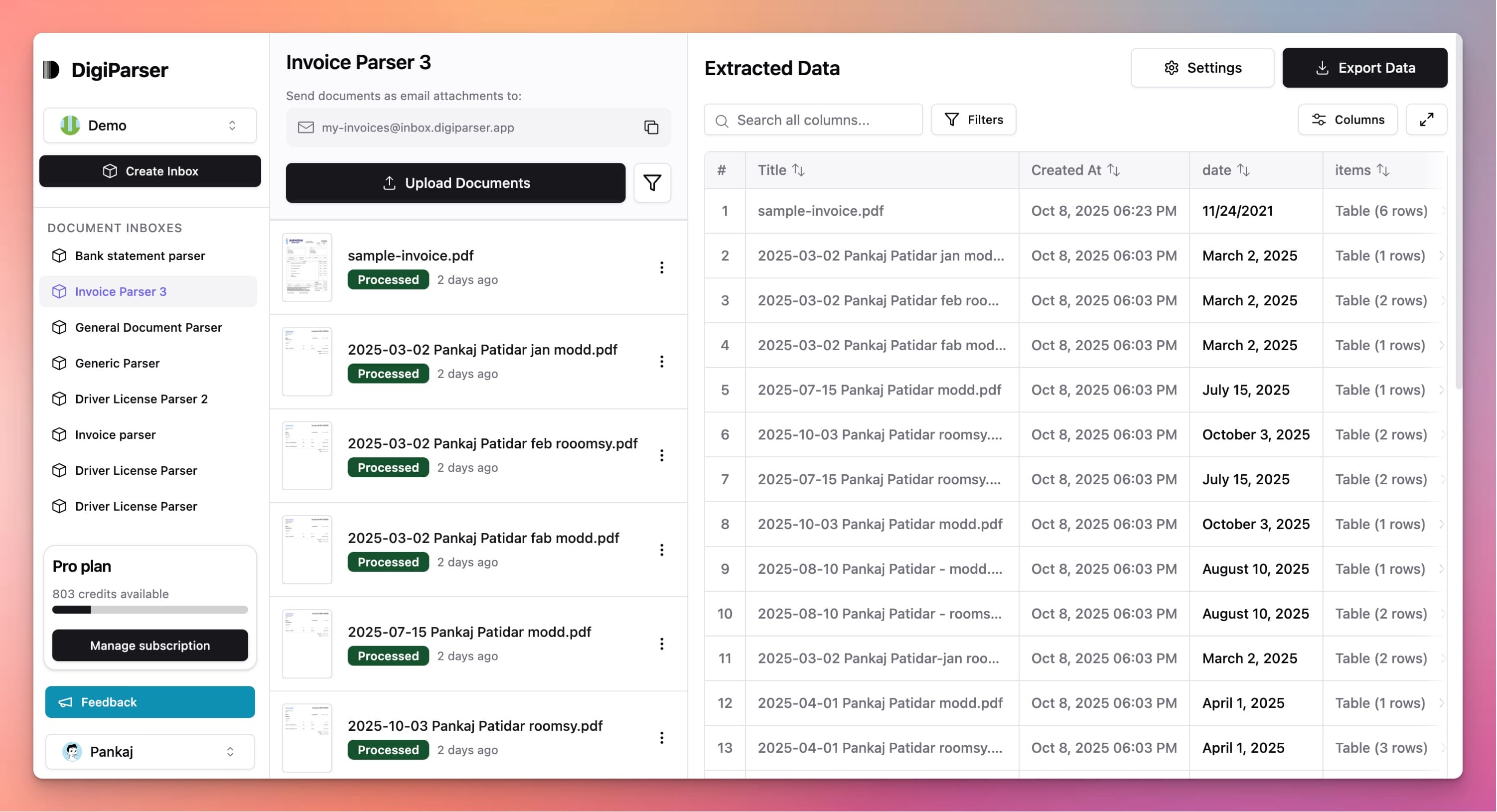
Extractable Data Fields
This tool extracts the following structured data fields from your documents:
Fields
- taxnumber
- Total tax amount applied to the invoice.
- currencystring
- ISO 4217 currency code (e.g. USD, EUR).
- subtotalnumber
- Subtotal amount before tax and discounts.
- invoice datestring
- Date of the invoice in YYYY-MM-DD format.
- total amountnumber
- Final total amount for the invoice.
- customer namestring
- Name of the customer or recipient.
- supplier namestring
- Name of the supplier or issuer of the invoice.
- invoice numberstring
- The unique identifier or number for the invoice.
- customer tax idstring
- Tax identification number of the customer.
- supplier tax idstring
- Tax identification number of the supplier.
Tables
line items
List of items or services billed on the invoice.
- totalnumber
- Total price for this line item.
- quantitynumber
- Quantity of the item or service.
- unit pricenumber
- Price per unit or service.
- descriptionstring
- Description of the line item (product/service).
Features
Exports to Excel (.xlsx) format
Creates formatted spreadsheets automatically
Separates fields into organized columns
Includes line items in separate rows
Ready for formulas and analysis
Benefits
Open directly in Microsoft Excel
Create pivot tables and charts instantly
Use Excel formulas for calculations
Format and customize as needed
Share with colleagues easily
Use Cases
Financial Analysis
Export invoice data to Excel for detailed financial analysis. Create pivot tables to analyze spending by vendor, category, or month.
Budget Tracking
Build Excel workbooks with invoice data to track budgets. Compare actual spending against budgeted amounts and identify variances.
Client Reporting
For accounting firms, export client invoice data to Excel for reporting. Create professional reports showing client expenses and spending patterns.
Frequently Asked Questions
What Excel version is required?
The exported Excel files work with Excel 2010 and later versions, as well as Excel Online and other spreadsheet applications that support .xlsx format.
Are formulas included in the Excel file?
The exported file contains raw data. You can add your own formulas, pivot tables, and charts in Excel for analysis.
Can I customize the Excel format?
After export, you can format the Excel file however you need. Add colors, filters, formulas, or any other Excel features you require.
Upgrade to DigiParser Pro
Process unlimited documents with API access, custom integrations, and enterprise-grade features.
Invoice Parser
Automate accounts payable with AI-powered invoice processing. Extract vendor details, line items, and totals with 99.7% accuracy.
PDF to Excel Automation
Automatically extract tables and data from hundreds of PDFs into Excel — no manual conversion.
No credit card required • 20 free documents included