

Invoice to Google Sheets Extractor
Extract invoice data and export to Google Sheets format. Perfect for teams using Google Workspace who need to collaborate on invoice data.
Drop PDF here or click to upload
What will be extracted
Fields to Extract
10 fields
Tables
1 tables
line items
Get Production-Ready Data Extraction
Upgrade to DigiParser — the enterprise-grade data extraction platform capable of handling hundreds of pages with 99.9% accuracy and unlimited advanced use cases.
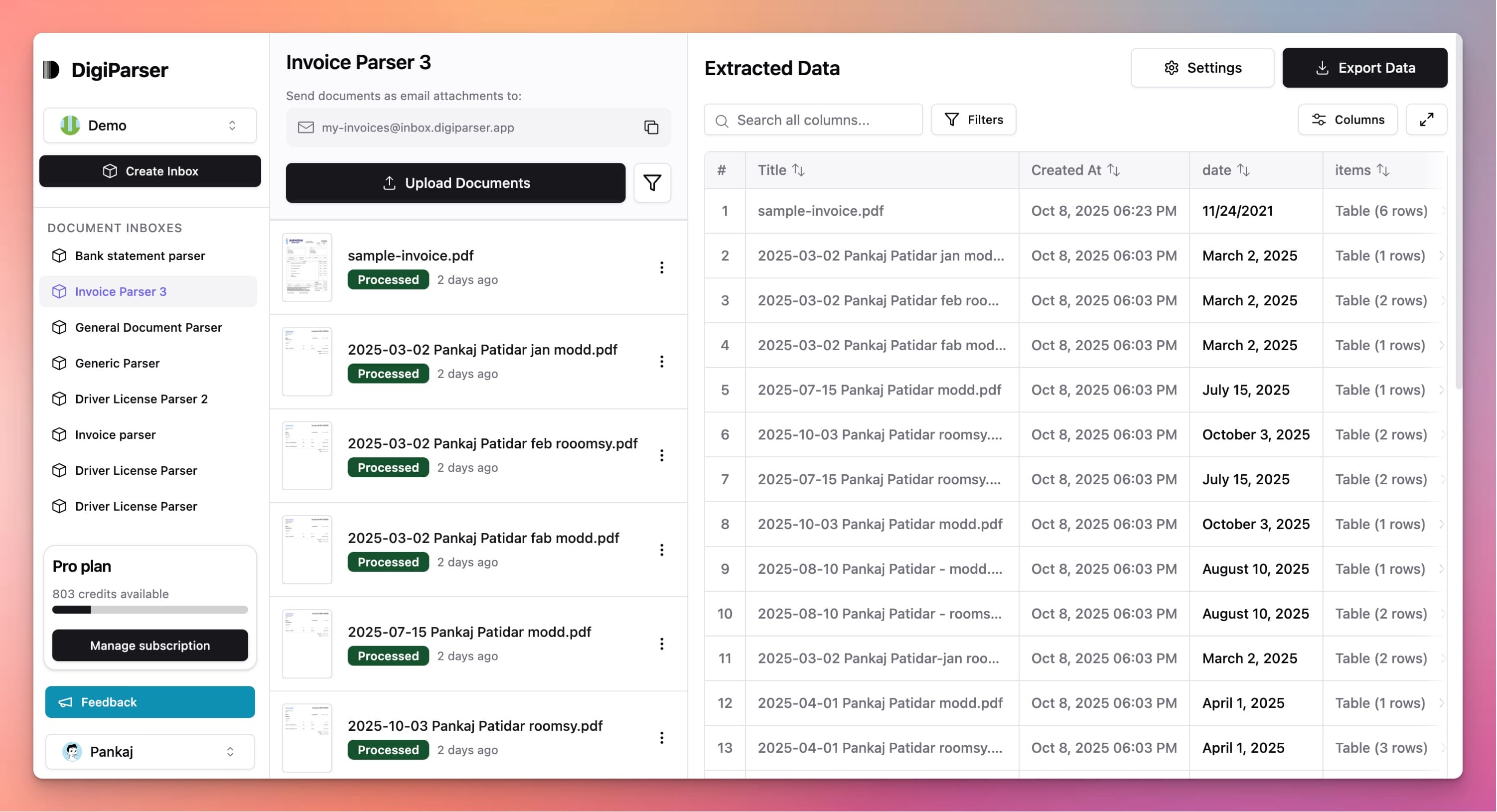
Extractable Data Fields
This tool extracts the following structured data fields from your documents:
Fields
- taxnumber
- Total tax applied to the invoice
- totalnumber
- Total invoice amount after taxes (and discounts if any)
- currencystring
- Three-letter ISO 4217 currency code (e.g. USD, EUR, GBP)
- subtotalnumber
- Subtotal before tax and discounts
- invoice datestring
- Invoice issue date in ISO 8601 format (YYYY-MM-DD)
- customer namestring
- Full name of the customer receiving the invoice
- supplier namestring
- Full name of the supplier
- invoice numberstring
- Unique identifier for the invoice; alphanumeric and may include dashes/slashes
- customer addressstring
- Full address of the customer, including street, city, and country
- supplier addressstring
- Full address of the supplier, including street, city, and country
Tables
line items
List of items/services on the invoice, each with description, quantity, unit price, and total
- quantitynumber
- Quantity of the item/service
- line totalnumber
- Total amount for this line (quantity x unit price)
- unit pricenumber
- Unit price of the item/service (in invoice currency)
- descriptionstring
- Description of item or service
Features
Exports in Google Sheets compatible format
Ready to upload to Google Drive
Maintains data structure and formatting
Supports real-time collaboration
Works with Google Sheets formulas
Benefits
Share invoice data with your team instantly
Collaborate on invoice analysis in real-time
Access from anywhere with Google Drive
No need for Microsoft Office
Automatic cloud backup
Use Cases
Team Collaboration
Export invoice data to Google Sheets so your team can review and analyze together. Multiple people can work on the same spreadsheet simultaneously.
Remote Work
Access invoice data from anywhere. Export to Google Sheets and work on invoice analysis from home, office, or on the go.
Client Portals
For accounting firms, export client invoice data to Google Sheets. Share with clients through Google Drive for easy access and review.
Frequently Asked Questions
How do I import the file into Google Sheets?
After export, upload the file to Google Drive and open with Google Sheets. Alternatively, you can import the CSV/Excel file directly into a new Google Sheet.
Can multiple people edit the Google Sheet?
Yes, once uploaded to Google Sheets, multiple team members can view and edit the invoice data simultaneously with real-time collaboration.
Is Google account required?
You don't need a Google account to use the extraction tool. A Google account is only needed to upload and use the exported file in Google Sheets.
Upgrade to DigiParser Pro
Process unlimited documents with API access, custom integrations, and enterprise-grade features.
No credit card required • 20 free documents included