

Invoice OCR API
Extract invoice data using OCR technology via API. Integrate invoice data extraction into your applications and workflows with automated OCR processing.
Drop PDF here or click to upload
What will be extracted
Fields to Extract
10 fields
Tables
1 tables
line items
Get Production-Ready Data Extraction
Upgrade to DigiParser — the enterprise-grade data extraction platform capable of handling hundreds of pages with 99.9% accuracy and unlimited advanced use cases.
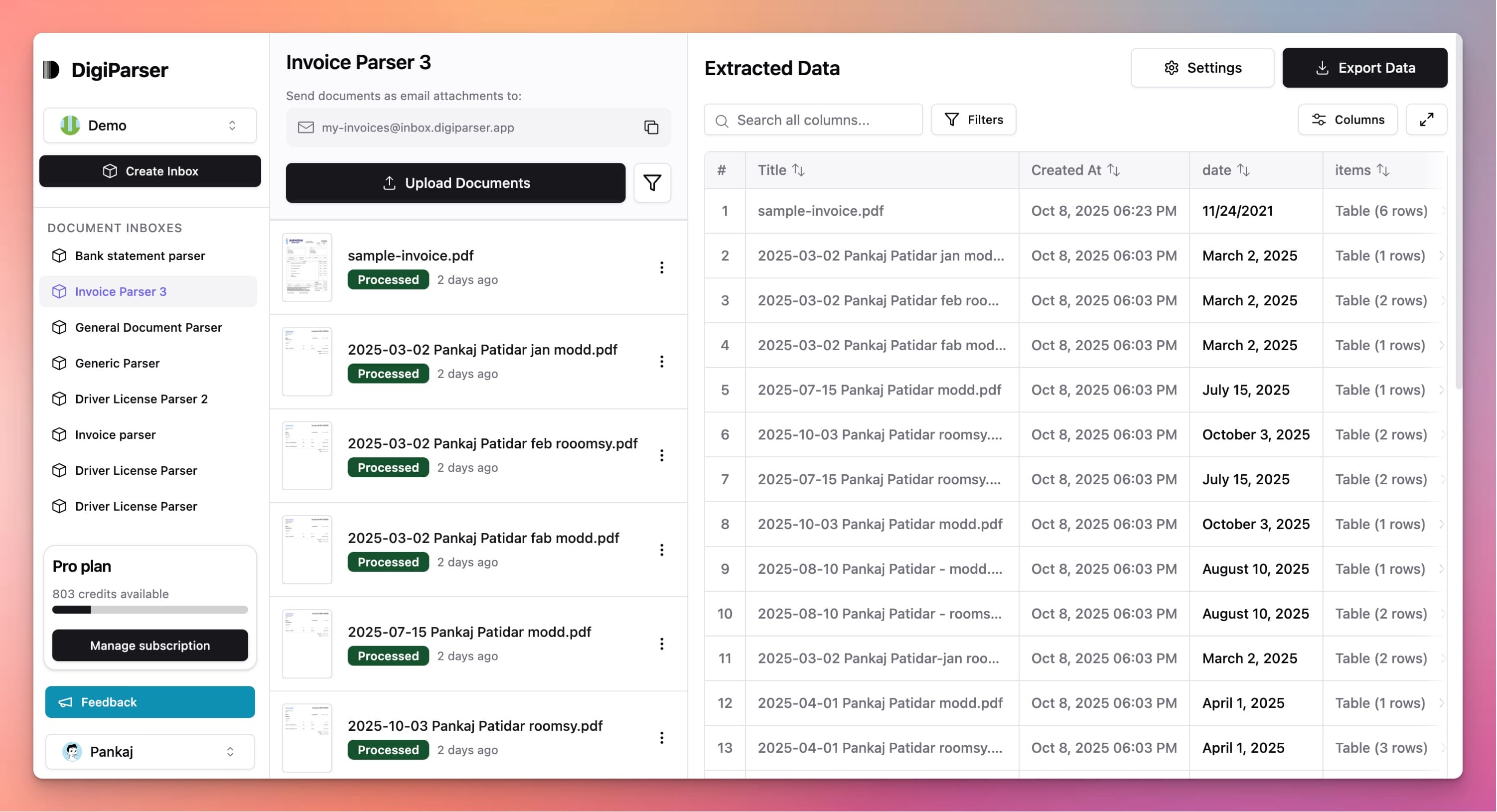
Extractable Data Fields
This tool extracts the following structured data fields from your documents:
Fields
- datestring
- Invoice issue date, formatted as YYYY-MM-DD.
- currencystring
- Three-letter ISO 4217 currency code of the invoice (e.g., USD, EUR).
- subtotalnumber
- Subtotal of all line items, before tax and discount.
- total duenumber
- Total payable by the buyer, after all calculation.
- buyer namestring
- Name of the customer or recipient of the invoice.
- tax amountnumber
- Total tax amount applied.
- buyer tax idstring
- Buyer's tax identification number.
- supplier namestring
- Name of the supplier or issuer of the invoice.
- invoice numberstring
- Unique identifier of the invoice, as recognized from the document.
- supplier tax idstring
- Supplier's tax identification number.
Tables
line items
List of goods or services described by the invoice, as recognized by OCR.
- totalnumber
- Total amount for the line item, exclusive of tax.
- quantitynumber
- Quantity of the product or service.
- unit pricenumber
- Price per unit, exclusive of tax.
- descriptionstring
- Description of the line item.
Features
OCR technology for invoice text extraction
API access for automated processing
Handles scanned invoices and images
Returns structured invoice data
Supports integration with other systems
Benefits
Automate invoice processing with API
Integrate OCR into your workflows
Process invoices programmatically
Handle scanned invoices automatically
Support custom applications and systems
Use Cases
Workflow Automation
Use the OCR API to automate invoice processing in your workflows. Integrate invoice extraction into your business processes for seamless automation.
Custom Application Integration
Integrate invoice OCR into your custom applications. Use the API to add invoice processing capabilities to your accounting or business management software.
Bulk Invoice Processing
Process large volumes of invoices using the OCR API. Automate bulk invoice extraction for high-volume processing scenarios.
Frequently Asked Questions
What is OCR and how does it work?
OCR (Optical Character Recognition) reads text from scanned invoices and images. It converts image-based invoices into text that can be extracted and structured.
How do I use the API?
The API accepts invoice files and returns extracted invoice data in structured format. You can integrate it into your applications using standard API calls.
What file formats are supported?
The OCR API supports PDF files, scanned images (JPG, PNG), and other image formats. It can process both text-based and scanned invoice documents.
Upgrade to DigiParser Pro
Process unlimited documents with API access, custom integrations, and enterprise-grade features.
Invoice Parser
Automate accounts payable with AI-powered invoice processing. Extract vendor details, line items, and totals with 99.7% accuracy.
OCR Software for Business
Go beyond OCR — extract structured data from scanned documents with 99.7% accuracy.
No credit card required • 20 free documents included