

PDF Invoice Extractor
Extract invoice data directly from PDF files. Perfect for accountants who receive invoices as PDF attachments via email.
Drop PDF here or click to upload
What will be extracted
Fields to Extract
12 fields
Tables
2 tables
taxes
line items
Get Production-Ready Data Extraction
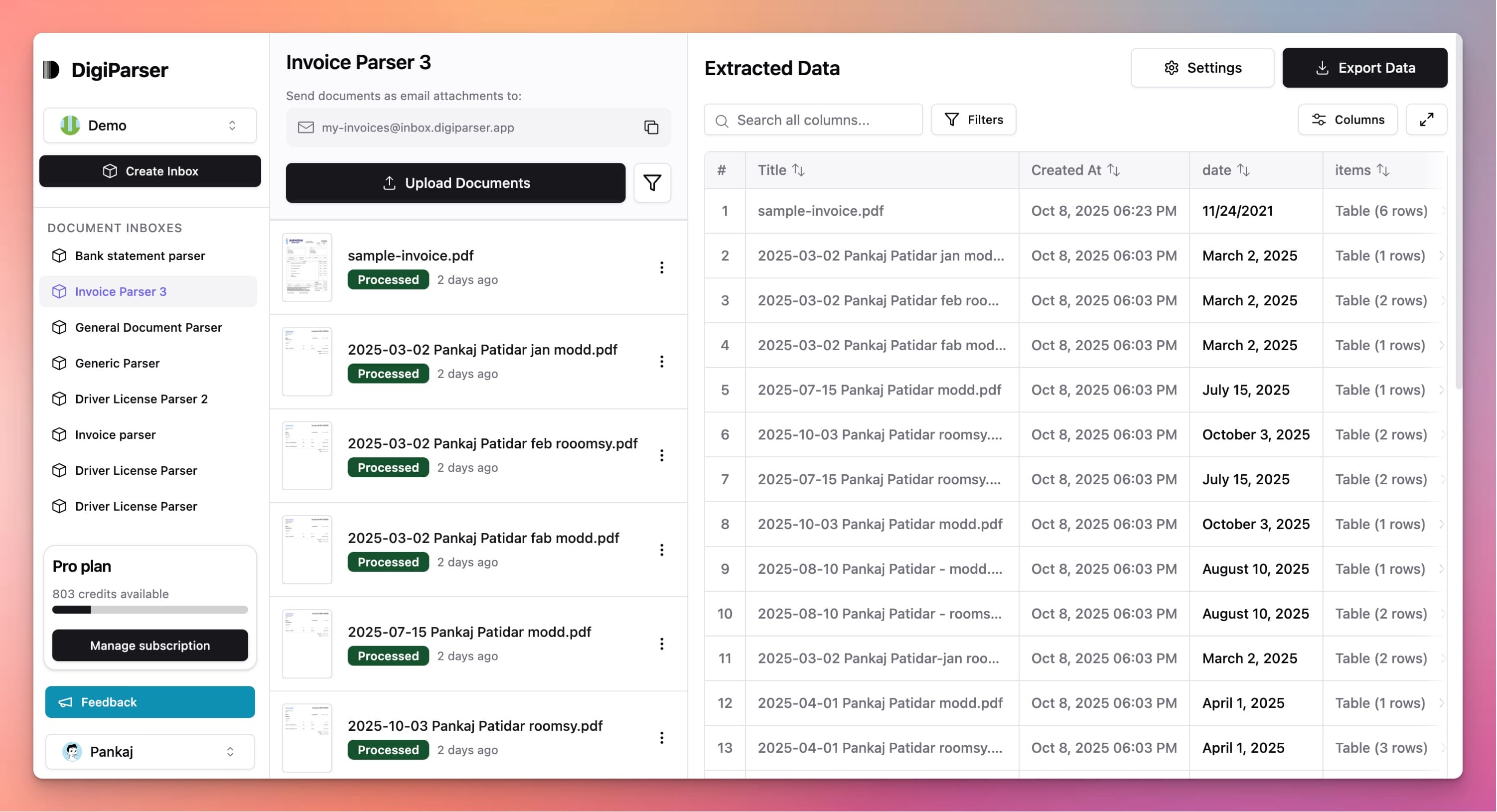
Upgrade to DigiParser — the enterprise-grade data extraction platform capable of handling hundreds of pages with 99.9% accuracy and unlimited advanced use cases.
Extractable Data Fields
This tool extracts the following structured data fields from your documents:
Fields
- totalnumber
- Final invoice total amount, including taxes and discounts.
- currencystring
- Currency of the invoice, using ISO 4217 code, e.g., 'USD', 'EUR'.
- due datestring
- The payment due date as specified in the invoice (ISO 8601).
- sub totalnumber
- Total amount before taxes/discounts, sum of all line item totals.
- invoice datestring
- The date the invoice was issued, in ISO 8601 format (YYYY-MM-DD).
- customer namestring
- Customer's company or individual name.
- supplier namestring
- Supplier's company or organization name.
- invoice numberstring
- The unique identifier of the invoice, as extracted from the PDF.
- customer tax idstring
- Customer's tax identification number.
- supplier tax idstring
- Supplier's tax identification number.
- customer addressstring
- Customer's full billing address.
- supplier addressstring
- Supplier's full address.
Tables
taxes
List of taxes applied to the invoice.
- namestring
- Name of the tax (e.g., VAT, GST).
- amountnumber
- Amount of this tax type applied to the invoice.
line items
The list of individual billed items/services as extracted from the invoice PDF.
- totalnumber
- Total price for this item (quantity × unit_price), pre-tax.
- quantitynumber
- The number of units billed for the item.
- unit pricenumber
- Price per unit (pre-tax) for this line item.
- descriptionstring
- Text description of the billed item/service.
Features
Works specifically with PDF invoice files
Extracts data from multi-page PDF invoices
Handles password-protected PDFs when unlocked
Preserves invoice formatting and structure
Supports both text-based and scanned PDF invoices
Benefits
No need to convert PDFs to other formats
Process invoices directly from email attachments
Maintain original invoice file integrity
Works with invoices from any vendor
Fast processing of PDF invoice batches
Use Cases
Email Invoice Processing
When vendors send invoices as PDF attachments, extract all data instantly. No need to open each PDF and manually copy information.
Digital Invoice Management
Process invoices stored in your digital filing system. Extract data from PDF invoices to populate your accounting software automatically.
Client Invoice Review
For accounting firms, quickly extract invoice details from client PDFs to review expenses, verify amounts, and prepare financial reports.
Frequently Asked Questions
Do I need to convert PDFs before using this tool?
No, you can upload PDF files directly. The tool extracts data from PDF invoices without any conversion needed.
What if the PDF is scanned or image-based?
The tool uses OCR technology to extract text from scanned PDF invoices, so it works with both text-based and scanned PDF files.
Can I process multiple PDF invoices at once?
Currently, you can process one PDF invoice at a time. For bulk processing, check out our Bulk Invoice Extractor tool.
Upgrade to DigiParser Pro
Process unlimited documents with API access, custom integrations, and enterprise-grade features.
No credit card required • 20 free documents included